
Scan, then review
PAM proposes receipt items and prices. Correct anything needed and confirm before those line items become expenses.
Made for the shared moments
Scan a receipt into reviewable line items, choose who shares each expense, and send a clear settlement to your group. Made for the way friends actually makan.
For iPhone and iPad. Screen shown with fictional demo data.
Receipt scan to reviewed line items
Flexible splits and easy sharing
The simple flow
The useful details are built into the flow, from reading a receipt to sending the final amounts.
PAM proposes receipt items and prices. Correct anything needed and confirm before those line items become expenses.
Choose who shared it, then use equal, exact, percentage, or weighted shares. Enter your own rate for another currency.
See unpaid amounts, preview a WhatsApp or Telegram summary, and use an optional PayNow shortcut when eligible.
A closer look
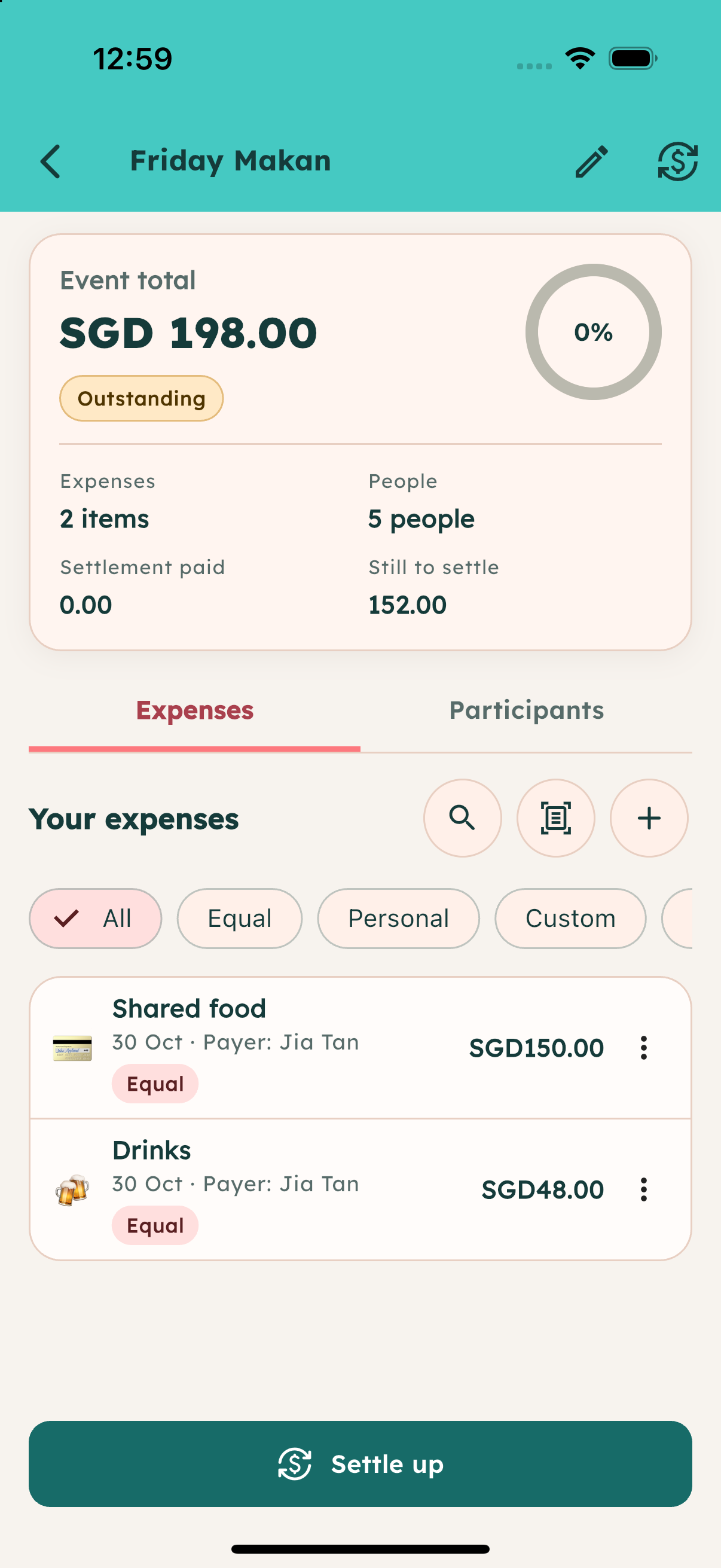
A fictional Friday Makan, shown in genuine PAM screens.
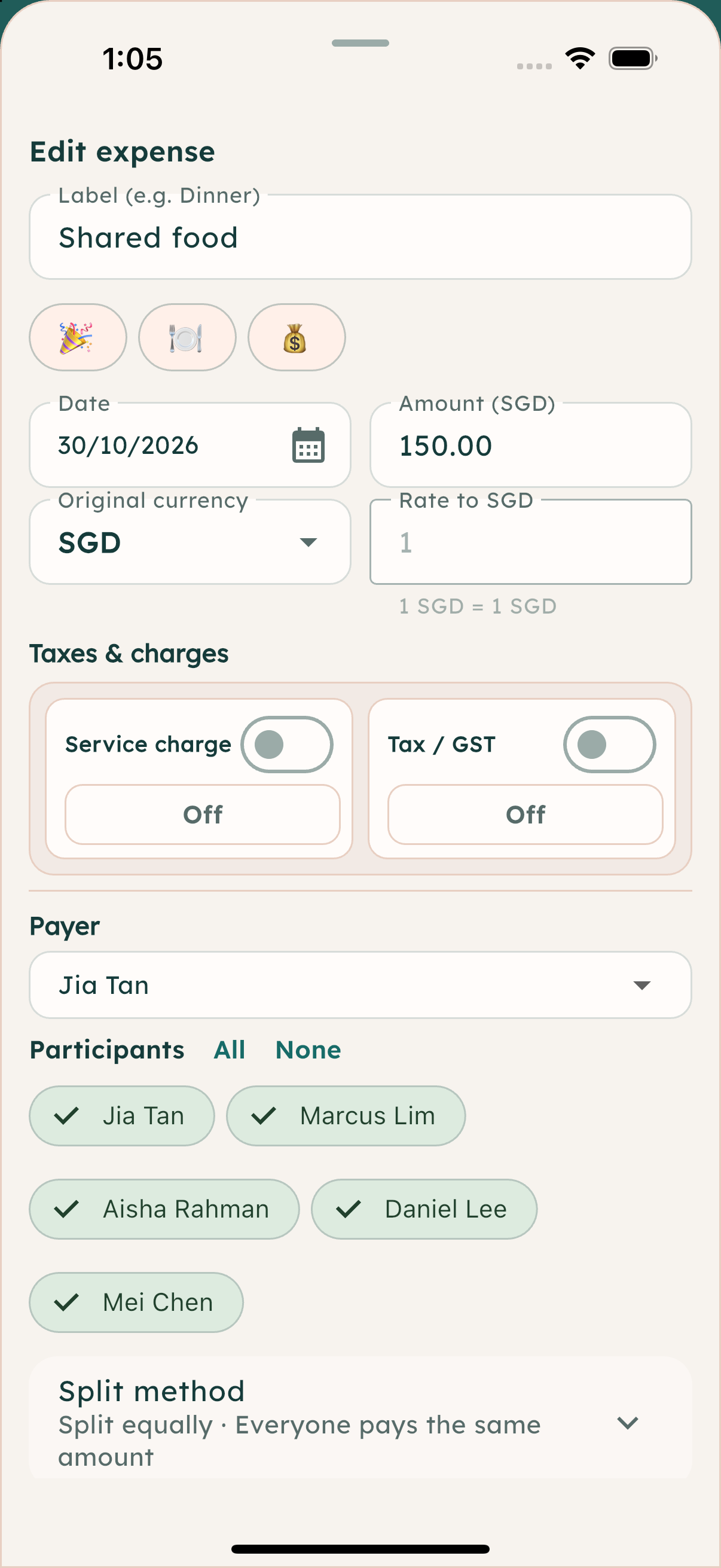
Jia pays SGD 150 for the shared meal. Split equally across five friends, that is SGD 30 each.
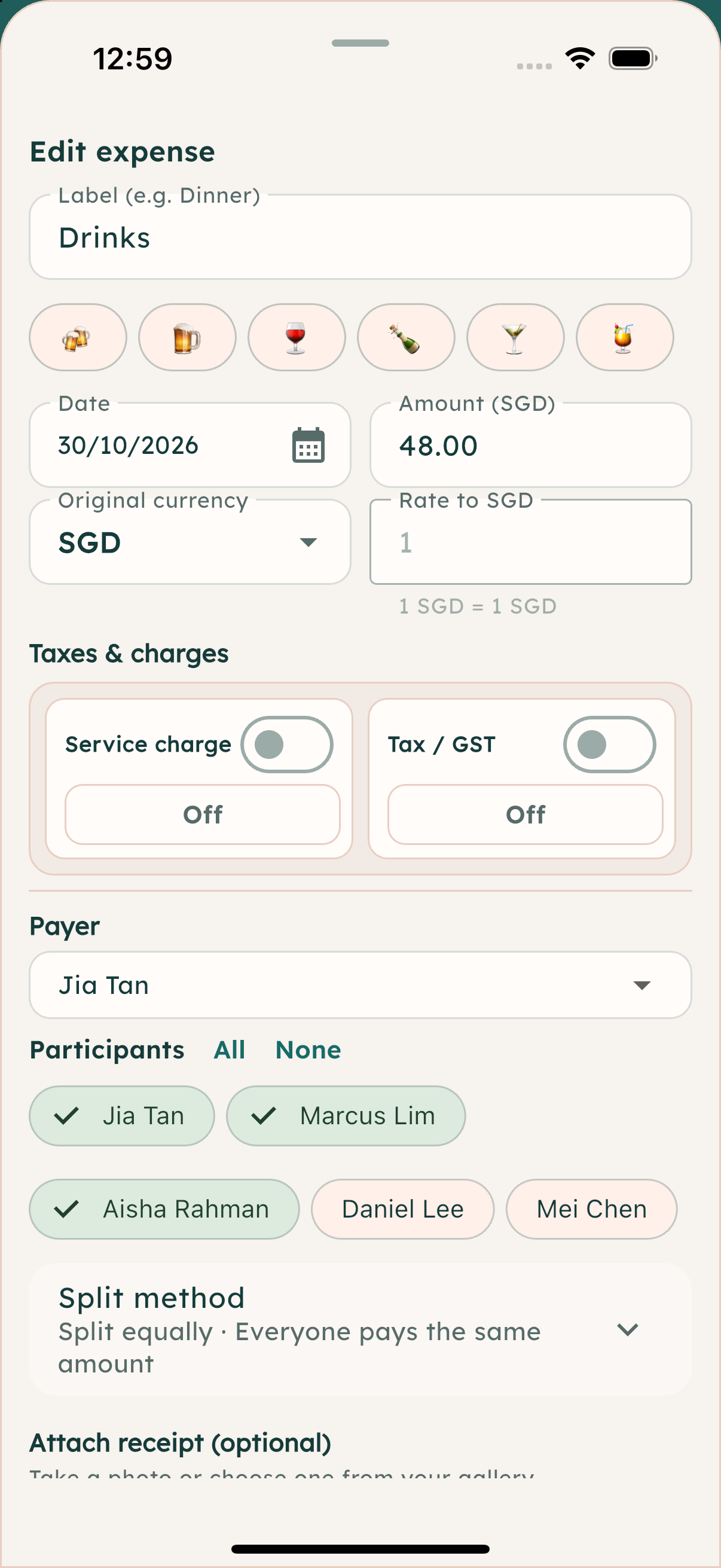
Jia, Marcus, and Aisha share SGD 48 in drinks: SGD 16 each. Daniel and Mei are left out of this expense.
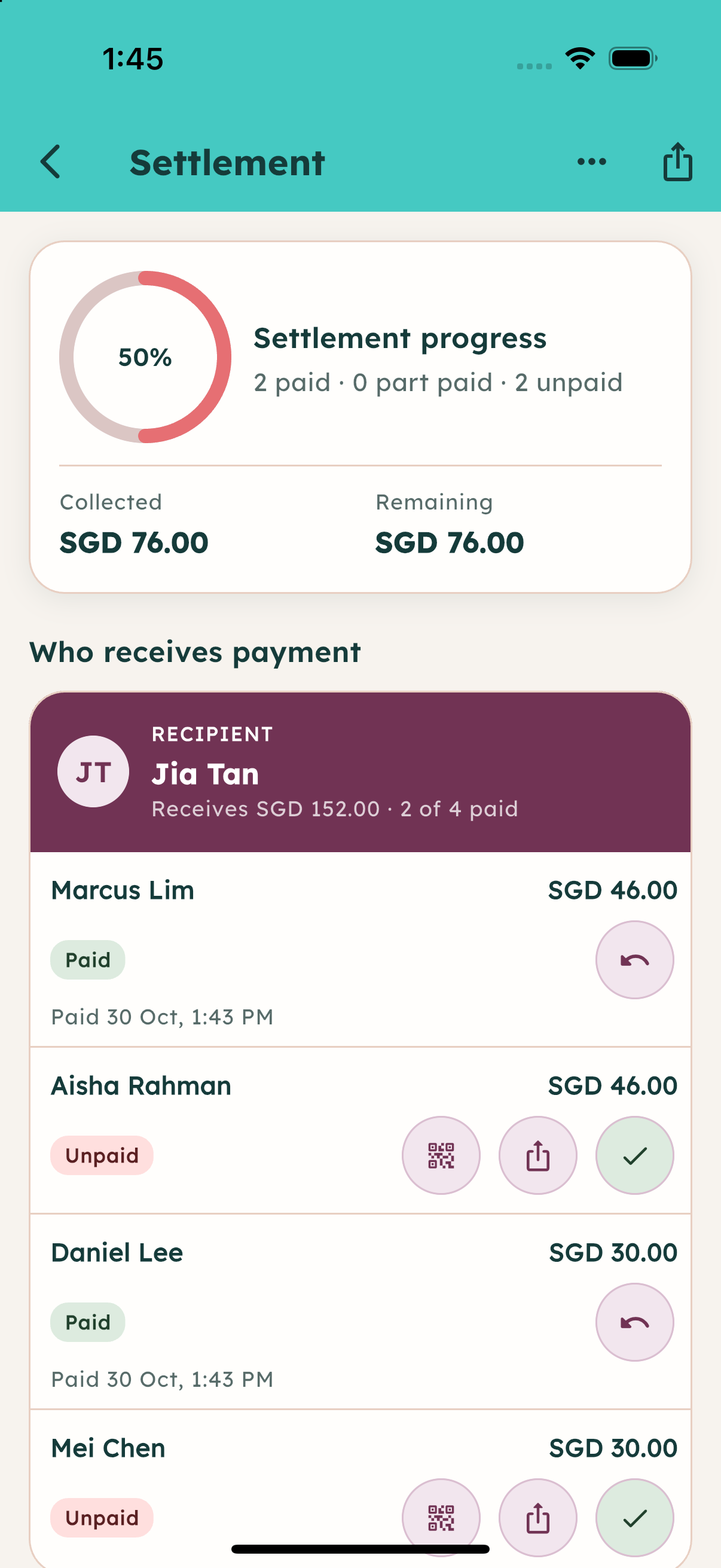
Marcus’s SGD 46 and Daniel’s SGD 30 are marked paid. Aisha’s SGD 46 and Mei’s SGD 30 remain unpaid, with QR and reminder-sharing actions. Undo is available on paid rows. Share a group summary through WhatsApp or Telegram; payment happens separately.
Good to know
No. You can keep expenses for a group outing or trip together in an event too.
Yes. For each expense, choose an equal split, exact amounts, percentages, or weighted shares. You can also include only the people who shared that expense.
Yes. Choose the expense’s original currency and enter the exchange rate you want to use. PAM converts it into the event currency for the group’s settlement; it does not fetch a live rate for you.
PAM recognises the receipt text on your iPhone and proposes item names and prices. Review and correct them, assign the people and payer, then confirm the import. Only then are the reviewed items added as expenses in the event.
Yes. Preview the settlement summary, then share it through WhatsApp or Telegram. PAM also offers individual reminders and a shareable settlement card. You choose where to send it.
PAM helps calculate and show the settlement. A PayNow QR option appears for an unpaid row when the recipient has a Singapore +65 number. The payment itself happens through the payment service.
Next time the bill lands
Let PAM help with the split.
Get PAM on the App Store